אפליקציות
Best Photo Editing Apps for Stunning Visuals
Explore the best photo editing apps packed with AI tools, filters, and creative features—perfect for social media, personal, or professional photo edits.
פִּרסוֹמֶת
Enhance Your Photos with Ease and Style
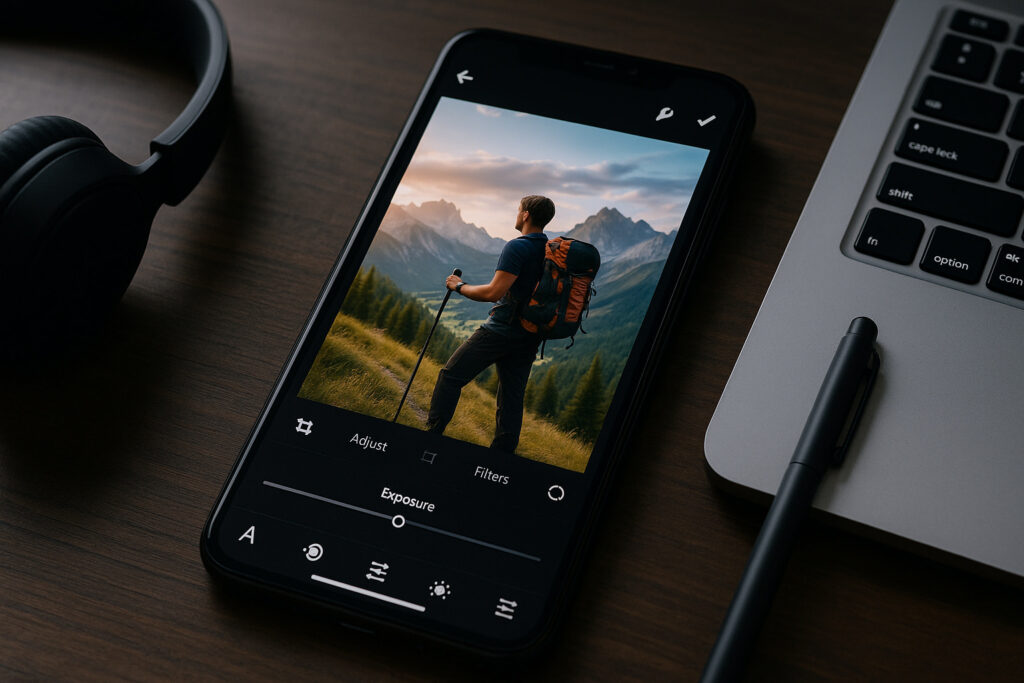
In today’s digital world, creating eye-catching photos is more important than ever. For social media, personal projects, or professional needs, the right photo editing apps can transform ordinary pictures into stunning visuals.
With powerful tools now available on smartphones, you don’t need to be a professional photographer to achieve impressive results.
This article highlights the best apps for editing photos, covering their key features, platform compatibility, and pricing options.
Android and iOS users alike will find practical solutions here to elevate their photo editing game.
1. Adobe Photoshop Express
Adobe Photoshop Express is one of the most recognized photo editing software tools available. Known for its robust features, it offers a simplified version of Adobe’s flagship product.
Main Features:
- One-touch filters and effects
- Advanced correction tools (exposure, contrast, white balance)
- AI-powered background remover
- Text overlay and stickers
תְאִימוּת:
Available for both Android and iOS.
Pricing:
Free with in-app purchases. Premium features require a subscription via Adobe Creative Cloud.
Adobe’s brand reputation ensures top-notch quality, making this app ideal for users seeking professional-grade edits on the go.


2. Snapseed
Snapseed, developed by Google, is a favorite among photography enthusiasts. Its user-friendly interface and professional tools make it a standout option for mobile editing.
Main Features:
- 29 editing tools including Healing, Brush, and HDR
- Selective adjustments
- RAW file support
- Lens blur and glamour glow effects
תְאִימוּת:
Available for Android and iOS devices.
Pricing:
100% free with no hidden costs.
Snapseed’s AI photo enhancer capabilities allow precise control over every detail, appealing to both casual users and professionals.
3. VSCO
VSCO combines photo editor functionality with a creative community platform. It’s widely used for its stylish filters that give photos a film-like quality.
Main Features:
- Preset filters inspired by classic film
- Manual camera controls
- Advanced editing (grain, fade, split tone)
- Video editing available
תְאִימוּת:
Available for iOS and Android.
Pricing:
Free basic version; premium membership unlocks additional filters and tools.
VSCO’s integration of social sharing and editing tools makes it popular among influencers and content creators.
4. Canva
While Canva is best known for graphic design, its photo editing tools are highly effective. Ideal for creating social media posts, it offers intuitive features suited for beginners.
Main Features:
- Drag-and-drop editor
- Background remover and Magic Eraser
- Photo filters and effects
- Text and graphic overlays
תְאִימוּת:
Available on iOS, Android, and web.
Pricing:
Free with optional Pro subscription for extra features.
Canva’s ability to combine photo editing with design makes it a versatile choice for marketers and small businesses.
5. Afterlight
Afterlight offers a sleek interface with powerful editing capabilities. It’s ideal for users looking for a blend of simplicity and advanced tools.
Main Features:
- 15 adjustment tools
- 59 filters and 66 textures
- Frames and artwork overlays
- Double exposure feature
תְאִימוּת:
iOS supported.
Pricing:
Free version available; subscription unlocks full access.
Afterlight’s creative features, such as double exposure and textures, make it a favorite for artistic photography.
6. LightX
LightX is an all-in-one photo editor app that offers both basic and advanced tools. It’s especially known for its background changer and blending features.
Main Features:
- Cutout and background changer
- Color splash and blur effects
- Shape manipulation and stickers
- Collage maker
תְאִימוּת:
iOS platform.
Pricing:
Free with in-app purchases.
LightX’s AI photo editing capabilities ensure precise edits, making it perfect for users who want to create polished images quickly.
What Makes a Great Photo Editing App?
From essential tools to advanced AI features, several factors contribute to an app’s effectiveness and user experience.
Let’s explore the key elements that make these apps truly stand out.
- Intuitive Interface and User Experience
A photo editing app should be easy to navigate. Apps like Snapseed and Adobe Photoshop Express excel because they simplify complex editing processes without sacrificing quality.
- Variety of Editing Tools
The best apps offer a wide range of tools, from basic adjustments to advanced AI features. Background removal, object cloning, and RAW file support are essential for flexibility.
- Cross-Platform Availability
Whether you’re using an Android app or an iOS app, accessibility across platforms ensures you can edit wherever you are. Apps like Canva and VSCO offer seamless performance on both systems.
- Pricing and Accessibility
Free apps with in-app purchases provide great value, but premium versions usually unlock advanced tools. Adobe Creative Cloud subscriptions, for instance, offer professional features that are worth the investment for serious users.
Are These Apps Suitable for Beginners?
Many people wonder if photo editing apps are accessible for beginners with little to no experience.
The good news is that apps like Canva and Snapseed are designed specifically to be user-friendly.
These apps offer clean, intuitive interfaces that guide users step by step through the editing process.
In addition to simplicity, many of these apps provide tutorials and tooltips to help you get started.
Adjusting brightness, applying filters, or removing backgrounds is simple, with tools clearly labeled and easy to find.
Canva’s drag-and-drop editor, for example, is perfect for users creating social media graphics without needing technical skills.
Even more advanced apps like Adobe Photoshop Express have beginner-friendly modes.
These modes let you apply professional-looking edits with just a few taps, making high-quality photo editing accessible to everyone.
Can I Use These Apps for Social Media?
Absolutely! Apps like VSCO, Canva, and Picsart are built with social media in mind. VSCO offers trendy filters that keep your Instagram feed cohesive and polished.
Canva makes it easy to design posts, stories, and banners with templates and drag-and-drop tools.
Its background remover and Magic Resize feature are perfect for multi-platform sharing. Picsart adds creativity with AI filters, stickers, and a collage maker.
Whether you’re creating for Instagram, TikTok, or Facebook, these apps help you craft engaging, high-quality content that grabs attention and boosts your online presence effortlessly.
Final Thoughts
Choosing the right photo editing app depends on your specific needs. If you want quick filters for social media or advanced tools for professional projects, there’s an app that fits your style.
For an all-in-one solution that combines powerful editing with creative freedom, check out Picsart.
It offers an extensive range of features, from AI-powered tools to social sharing options, making it a standout choice for any photo editing enthusiast.
נושאים_מעניינים

קחו את הדקות הבאות כדי להרגיע את הגוף והנפש
גלו את היתרונות של מדיטציה יומית וכיצד מספר דקות בלבד יכולות להפחית חרדה, לשפר את הריכוז ולהשיב את האיזון.
המשך לקרוא
אפליקציית היכרויות: גלו מי חצה את דרככם והתחברו
גלו כיצד Happn משתמש במיקום גיאוגרפי כדי לחבר אתכם לאנשים שפגשתם בחיים האמיתיים. למדו את התכונות והיתרונות שלו!
המשך לקרואייתכן שגם אתה תאהב

דייטים בפייסבוק: הכירו את המתחרה החינמי של טינדר
גלו את פייסבוק דייטינג, פלטפורמה חינמית לקשרים משמעותיים. גלו את התכונות והיתרונות שלה בפוסט האחרון שלנו!
המשך לקרוא
שיין: איך להשיג בגדים בחינם בעזרת הצעדים הפשוטים האלה
למדו כיצד לקבל בגדים בחינם משיין דרך תוכנית מרכז הניסיון החינמי שלהם וטיפים להגדלת הסיכויים שלכם לזכות!
המשך לקרוא


